I Built Our Wedding Website Instead of Renting One
I got engaged, needed a wedding website, and build websites for a living. Here's what I made, what it cost, and why I'd still tell most couples to use the platform.

In short
- The wedding platforms are genuinely good and I'd recommend them to most couples. I didn't use one because I wanted to own the thing, not rent it.
- The interesting problems weren't technical. Every save the date carries the same site password, so it opens the door but says nothing about who walked in, which changed how the whole RSVP works.
- Same argument I make to business owners: a page on someone else's platform is a listing you're renting. This was a chance to take my own advice.
I got engaged over Memorial Day weekend. Somewhere in the first month of being engaged, between picking a date and realizing how many people we are related to, Paige asked the obvious question: are we doing a wedding website?
I build websites for a living. So the answer was going to be yes. The only real question was whether I’d do the sensible thing and sign up for a platform like everyone else, or the thing I actually did.
The Sensible Option, Which I Did Not Take
The wedding platforms are good. That’s not a setup for a takedown. Zola, The Knot, Withjoy, and Minted all give you a decent-looking site in an afternoon, an RSVP system that works, a registry, and a guest list manager, and the base tier generally costs nothing. If you are getting married and you don’t build websites for a living, use one. Genuinely. You have a hundred better things to spend a weekend on.
I didn’t, for the same reason I tell business owners not to build their whole presence on somebody else’s platform. Everything on a wedding site is temporary except the part that isn’t: the photos, the story, the list of people who came. That lives on a URL somebody else controls, wrapped in somebody else’s design system, with somebody else’s upsells around it, for exactly as long as they feel like hosting it.
That’s the argument I make about Google Business Profiles and about template builders, and it felt like a bad look to make it for a living and then not take it.
Also, honestly, I wanted to build it.
What It Actually Is
Astro, React for one countdown island, deployed on Cloudflare with a D1 database behind the RSVP. Fraunces for display type and Archivo for everything else, set on a warm paper background rather than the white that every wedding template defaults to.
The design brief was Paige’s, not mine. Her favorite colors are gray and black, which ruled out roughly the entire wedding-site aesthetic in one sentence, so we ended up somewhere closer to a fashion editorial than a save the date. Near-black ink, a soft paper ground, one muted accent, and Fraunces doing the heavy lifting with optical sizing turned on so the display type actually tightens up at large sizes instead of just getting bigger.
You’ll notice there aren’t many screenshots in this post. The site is password gated, and most of the pages worth showing you have our address or our date on them.
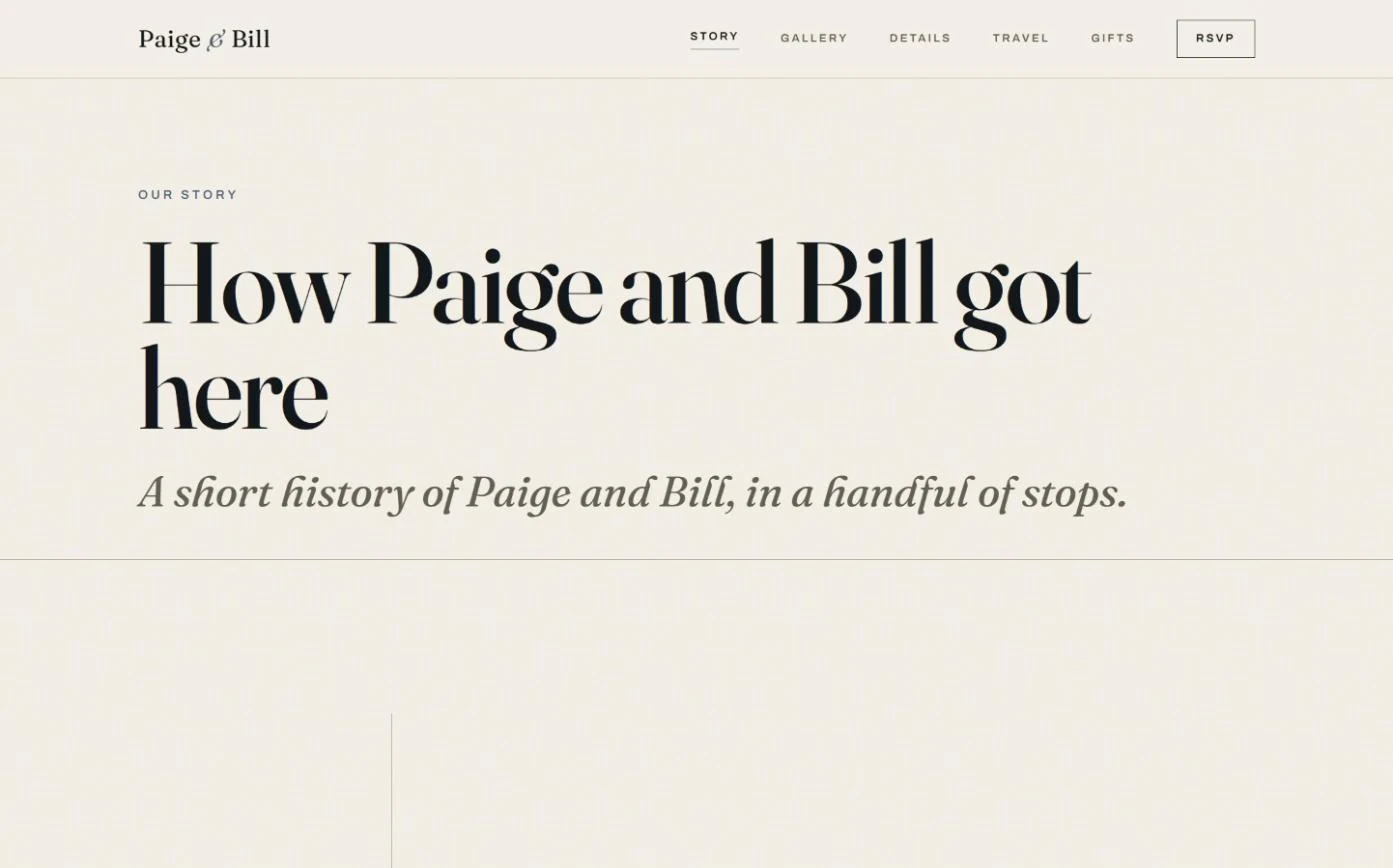
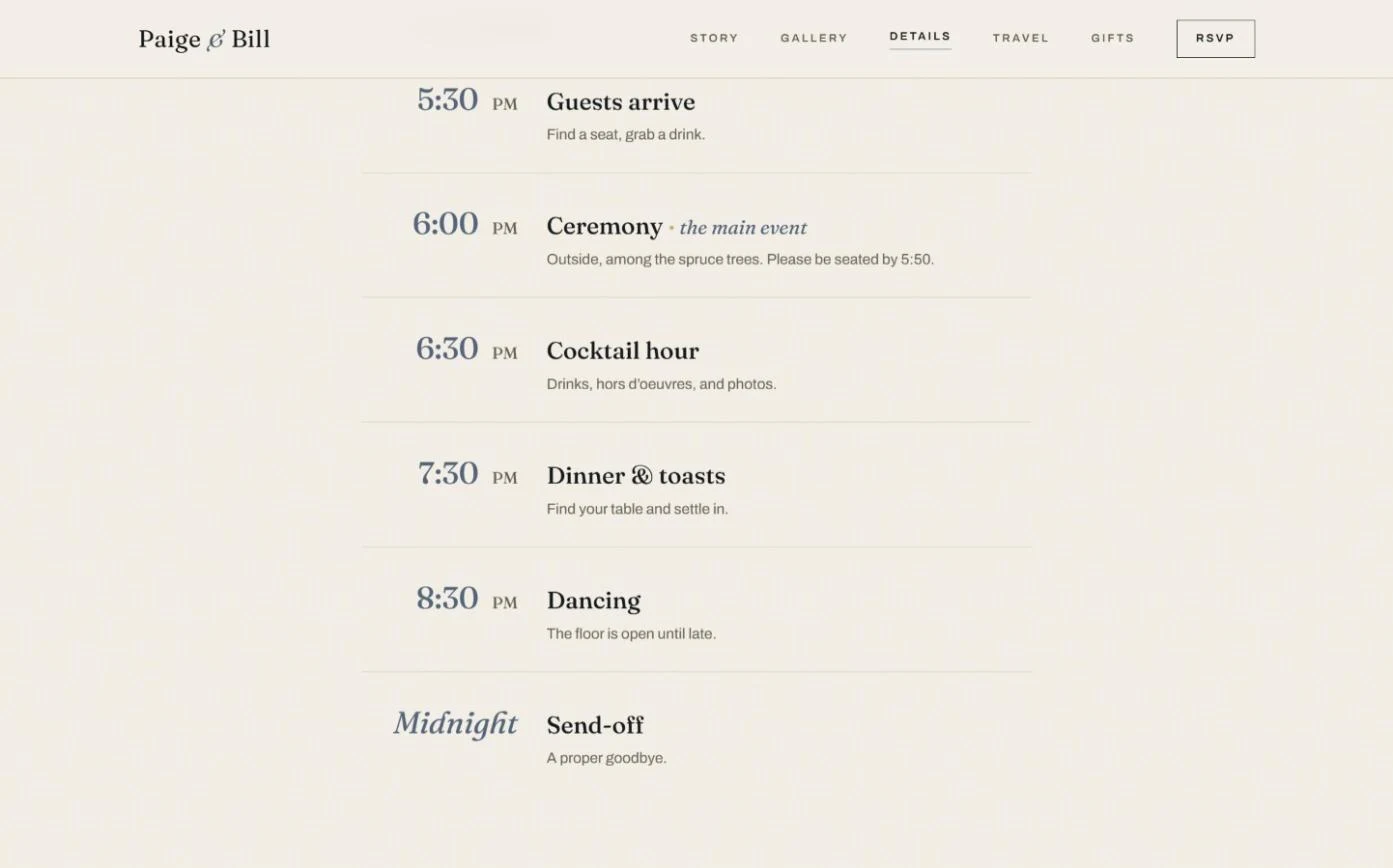
The pages are the usual set: home, our story, details, travel, gallery, registry, and RSVP, with the FAQ sitting at the bottom of the details page. The travel page has a real map, because “the hotel is near the venue” is not directions.
The Part That Was Actually Interesting
None of the above is the hard part. Anyone who builds sites can put up seven pages with nice type. The interesting problem was the RSVP, and it turned out to be a people problem wearing a technical costume.
Every platform builds RSVP around an identifier. You get an invite code, or you get an email with a magic link, and that’s how the system knows which invitation you are.
Our save the dates carry a URL and a password. It’s the same password on every card, though, so it gets a guest through the front door and tells the site nothing about which guest just walked in. There was no per-guest code to print, no email list to send magic links to, and in a lot of cases no email address on file at all. So the entire assumption underneath the standard RSVP flow was wrong for us before I wrote a line of it.
What I built instead looks people up by name. You type your name, it matches against the invite list, and it hands you your invitation with whatever seats it actually has. Email is stored when we happen to have it, purely as a convenience, and it’s never the thing that identifies you.
That opened up a second problem I liked. An invitation isn’t always a person. Sometimes it’s two named people. Sometimes it’s one named person and a plus one whose name nobody knows yet, including the guest, on the day the card goes out. So a seat can exist in the database without a name attached, and the guest fills it in when they respond. The invite list holds the shape of the invitation; the RSVP fills in the details.
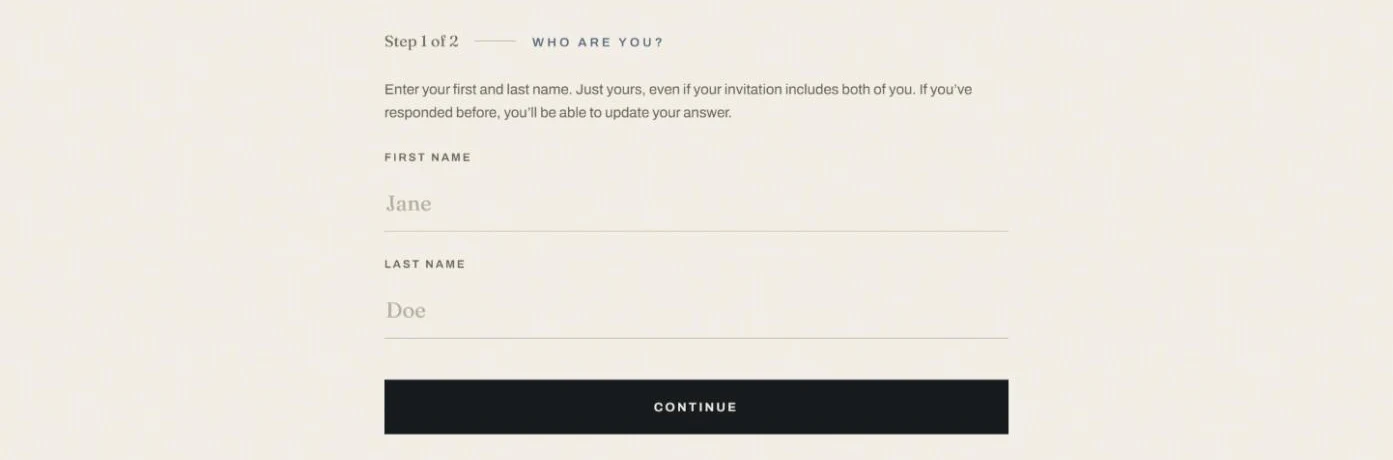
Each responding invitation gets one row. Attending or not, who’s actually coming, dietary notes per attendee, a song request, and a free text note. Guests can come back and change their answer, which they do, constantly, which is the entire reason it’s a database and not a form that emails me.
The Registry Is a Venmo Link
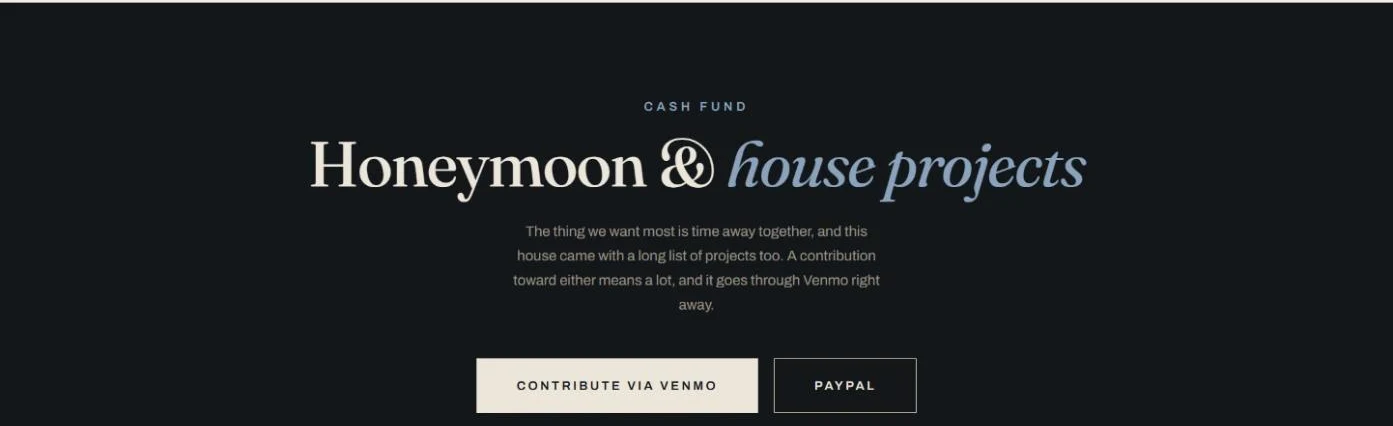
There’s no gift list. We don’t need a tenth thing for the kitchen, so the whole registry is a honeymoon fund, which meant the registry page had exactly one job: get money to us with the least possible friction and a label attached so we know who it came from.
The Venmo link is a deep link with the note prefilled. Tap it on a phone and the app opens with the amount blank and the note already filled in, so contributions arrive labeled instead of as anonymous deposits I have to reconcile against a guest list later.
PayPal can’t do that. PayPal.me links let you prefill an amount but not a note, so those gifts land unlabeled and I match them up by hand. That’s a platform limitation, not something I could design around, and it’s a good small example of the thing I spend a lot of time explaining to clients: an integration is only ever as good as what the other side chooses to expose.
What It Cost
A domain. That’s the line item.
Hosting is free at this scale on Cloudflare, the database is free at this scale, the fonts are open source, and the rest was weekends I would otherwise have spent poorly. Measured against a platform’s paid tier over the length of an engagement it isn’t a dramatic saving, and I don’t want to oversell that, because the money was never the point.
The point is that when it’s over, the site is a folder of files I own. I can leave it up, take it down, move it, or turn it into something else. Nobody sunsets it, rebrands it, or decides that the photo gallery is a premium feature now.
Would I Tell You To Do This
If you’re a couple: no, probably not. Use Zola. I’m not selling wedding websites, this isn’t a service on my site, and the honest read is that a platform gets you ninety percent of this in an afternoon and the last ten percent only matters if building it is something you’d enjoy. It was for me. It won’t be for most people, and there’s no version of this where hand-building a wedding site is the financially rational move.
If you run a business, the math is different, and that’s the whole reason I wrote this down.
A wedding site is temporary by design. The event happens and the job is done. A business site isn’t. It’s the thing you point every ad, every card, and every Instagram bio at for years. It’s the one page online where the only business on it is yours, and the one piece of your presence nobody else can suspend, restyle, or start charging you for. When the stakes are one weekend, renting is fine. When the stakes are your livelihood, owning stops looking like a preference and starts looking like the point.
I spend a lot of time telling people that. It was useful to spend a few weekends actually doing it, on a project where I was the client and had nobody else to blame for the feedback rounds.
The site itself stays private, which is the other nice thing about owning it. It’s password gated and set to noindex, so it lives between us and the people we invited, and no search engine has an opinion about it.
If you’re weighing whether your business belongs on a platform or on something you own, that’s a conversation I’m happy to have. And if you’d rather just find out what’s wrong with what you’ve got now, the free audit is there.
I build websites for small businesses across the Denver Front Range: Denver, Lakewood, Boulder, Arvada, Golden, Littleton, Aurora, Westminster, and Highlands Ranch.
What now
Need a website for your business?
I build custom websites for small businesses across Denver and the Colorado Front Range. Free consultation, no obligation.